Onion Board, the free soundboardPlay sounds through your mic.
Press a pad or a hotkey, even in-game, and your friends in Discord or your game hear it through your mic. There's no virtual cable to install: Bun the bunny sets it up for you.
In the app, your friends hear these through your mic.
Your sounds as pads
Click one, or hit its hotkey mid-game.

What's in the app
No virtual cable
Sounds go straight into the mic you already use in Discord and games, with your voice or without it.
One-click sounds
Search YouTube, SoundCloud and Myinstants in the app and add a sound in one click. Or drag in files.
Hotkeys that work in-game
Plus an in-game overlay, MIDI pads and a Stream Deck plugin. Open your game and the board switches to its sounds.
Bring your board over
Coming from Soundpad, Resanance, Soundux or EXP Soundboard? Your sounds and hotkeys come with you in one click.
Effects on any sound
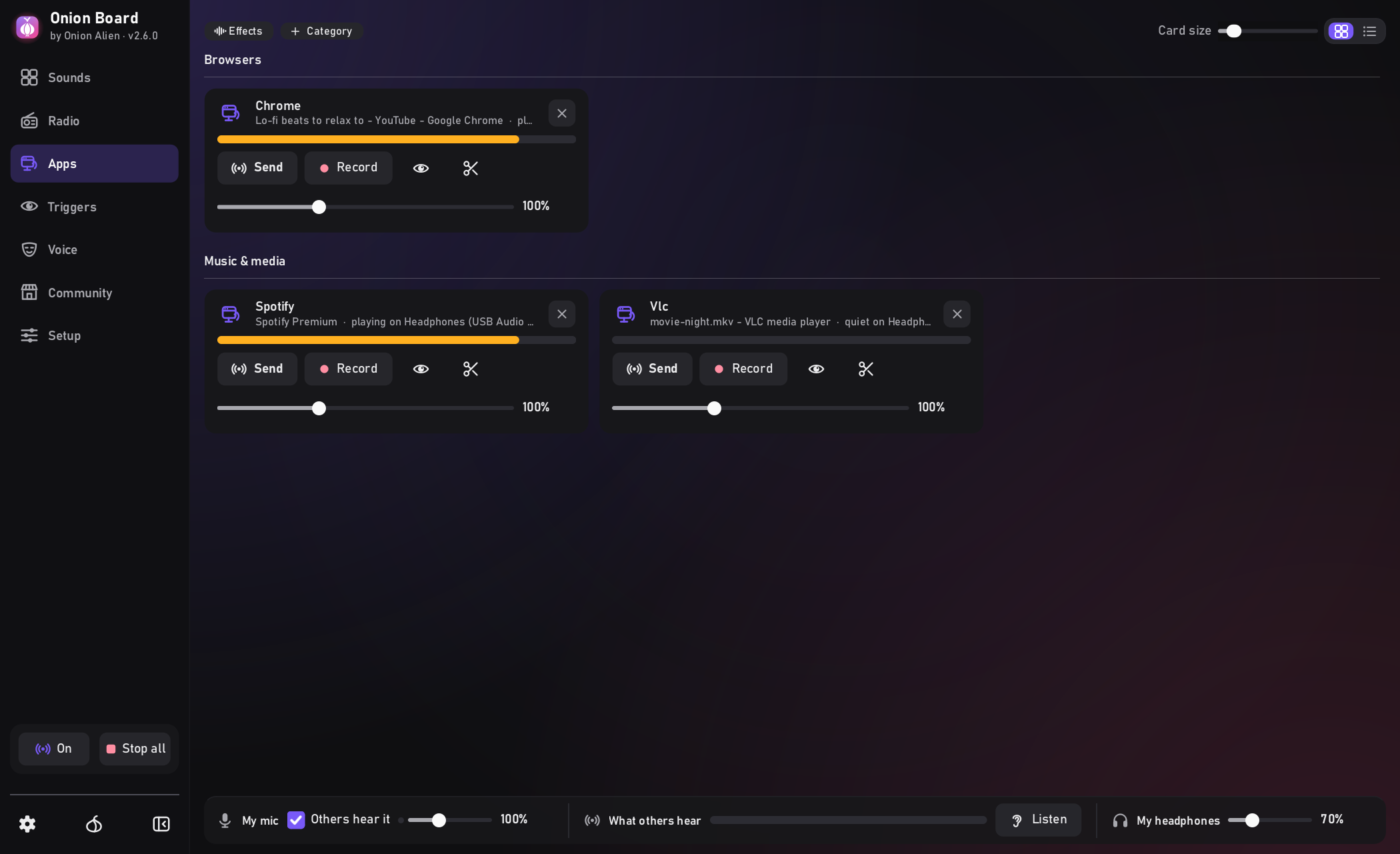
Trim, speed, pitch, bass boost. One-click Deep fried and Nightcore. Live on the radio and shared programs too.
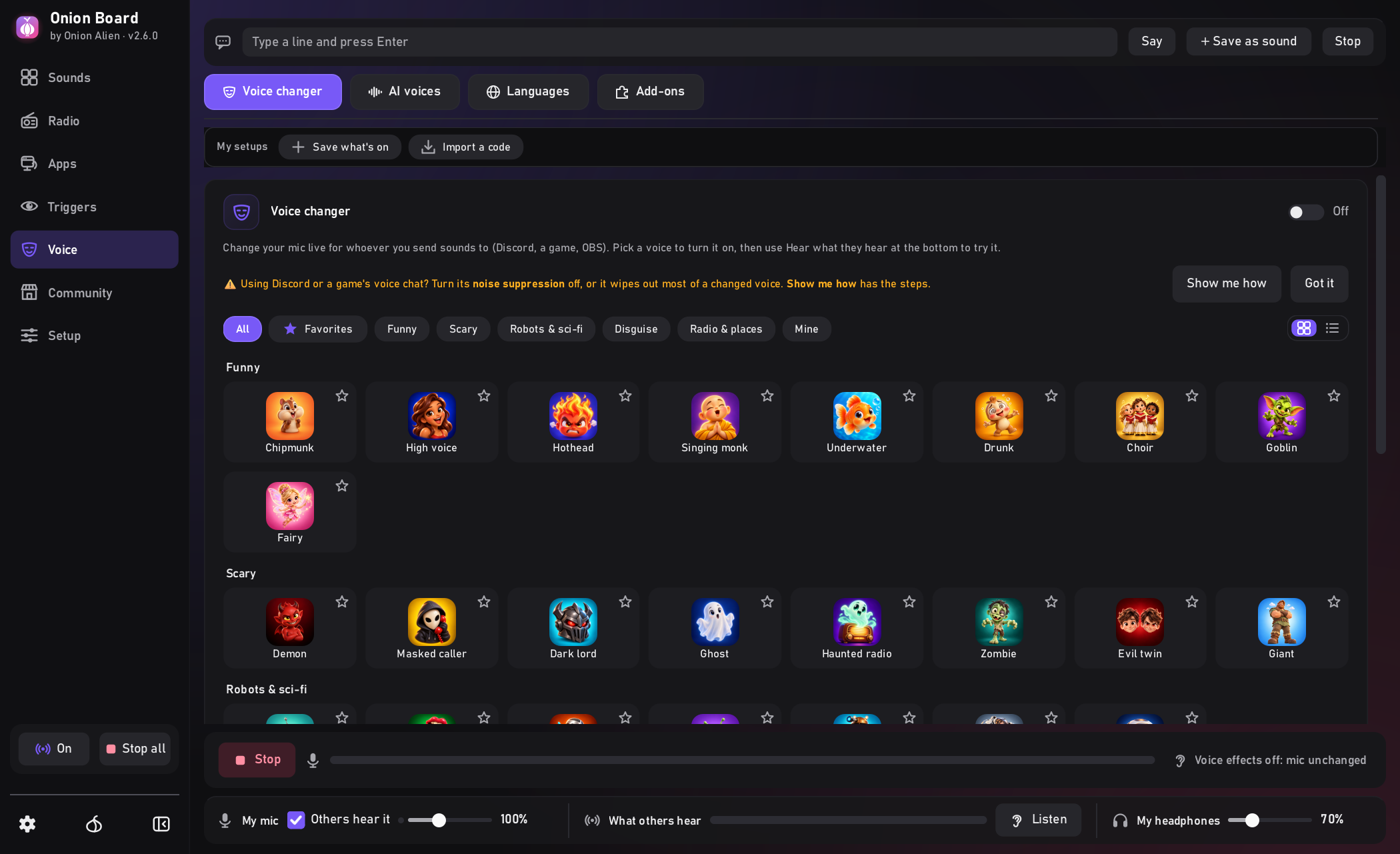
Voice changer and TTS
Change your voice live, or type and a computer voice says it, in 33 languages. Optional AI voices: 12 characters, or blend your own.
Checks Discord for you
Spots the Discord settings that would cut your sounds out and shows how to fix them.
Record a sound
With your mic, or a bit of whatever is playing: a pad, a search result, the radio.
In your language
The whole app comes in 32 languages, plus 32 themes and your own highlight colour.
And more
Instant replay, screen triggers, your pads on your phone, world radio, a clean OBS output. Full list
The other tabs
Set it up in about a minute
Download it
DownloadOnionBoardSetup.exeand run it.Meet Bun
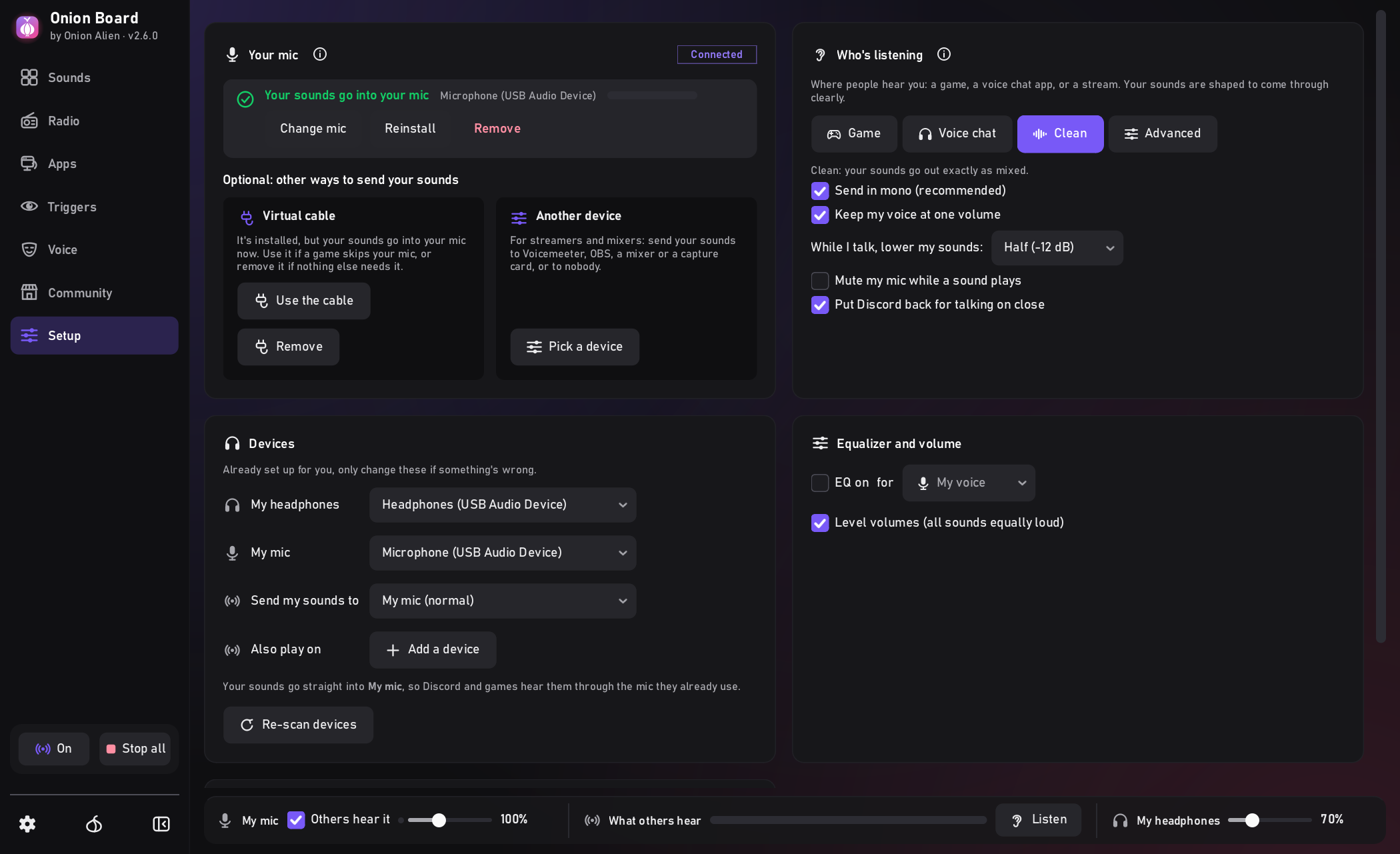
Bun the bunny asks which mic and headphones you use and sets the rest up.Into your mic
Click Put my sounds straight into my mic (Windows asks once). Discord and games keep your normal mic, so there's nothing to pick there. Onion Board warns you if a Discord setting is in the way (what to set).
Common questions
What do I set in Discord?
Set Input Profile to Custom, Noise Suppression to None and turn Echo Cancellation off, so it doesn't filter your sounds out (not Studio: on your mic, Studio skips Onion Board). Onion Board warns you if one of them is in the way. Already use Voicemeeter, a mixer or OBS? Pick it under Send my sounds to instead, or add it under Also play on.
Why does Windows warn me?
The app isn't code-signed yet (a certificate costs money every year), so Windows doesn't know it. Click More info → Run anyway (or ⋯ → Keep in Edge / Chrome). Every release is scanned on VirusTotal (the link is at the top).
What needs admin, and why?
Only the one-click "straight into my mic" step. It adds a small audio effect to your mic in Windows' audio engine, backs up your mic's settings first, and puts them back when you switch it off or uninstall.
What goes online?
Only what you ask for (searches, downloads, the radio), an update check, and an anonymous daily count you can switch off. Every request is listed in the privacy page, and the app shows them live under Settings → Connection → Network activity.
How do I get rid of it?
Uninstall it like any app in Windows' Settings. Your mic goes back
the way it was. Your own sounds stay in %APPDATA%\OnionBoard until you delete them.
Can I read the code?
Yes, all of it. The full source is on GitHub.
A sound in the Community tab is mine. How do I get it taken down?
Email [email protected] with the sound's name and why it's yours, and it comes down. Anyone can also press Report on a sound in the Community tab.
winget install OnionAlien.OnionBoardGet Onion Board
Download Onion BoardOnion Watch, by the makers of Onion BoardHear it when your game needs you.
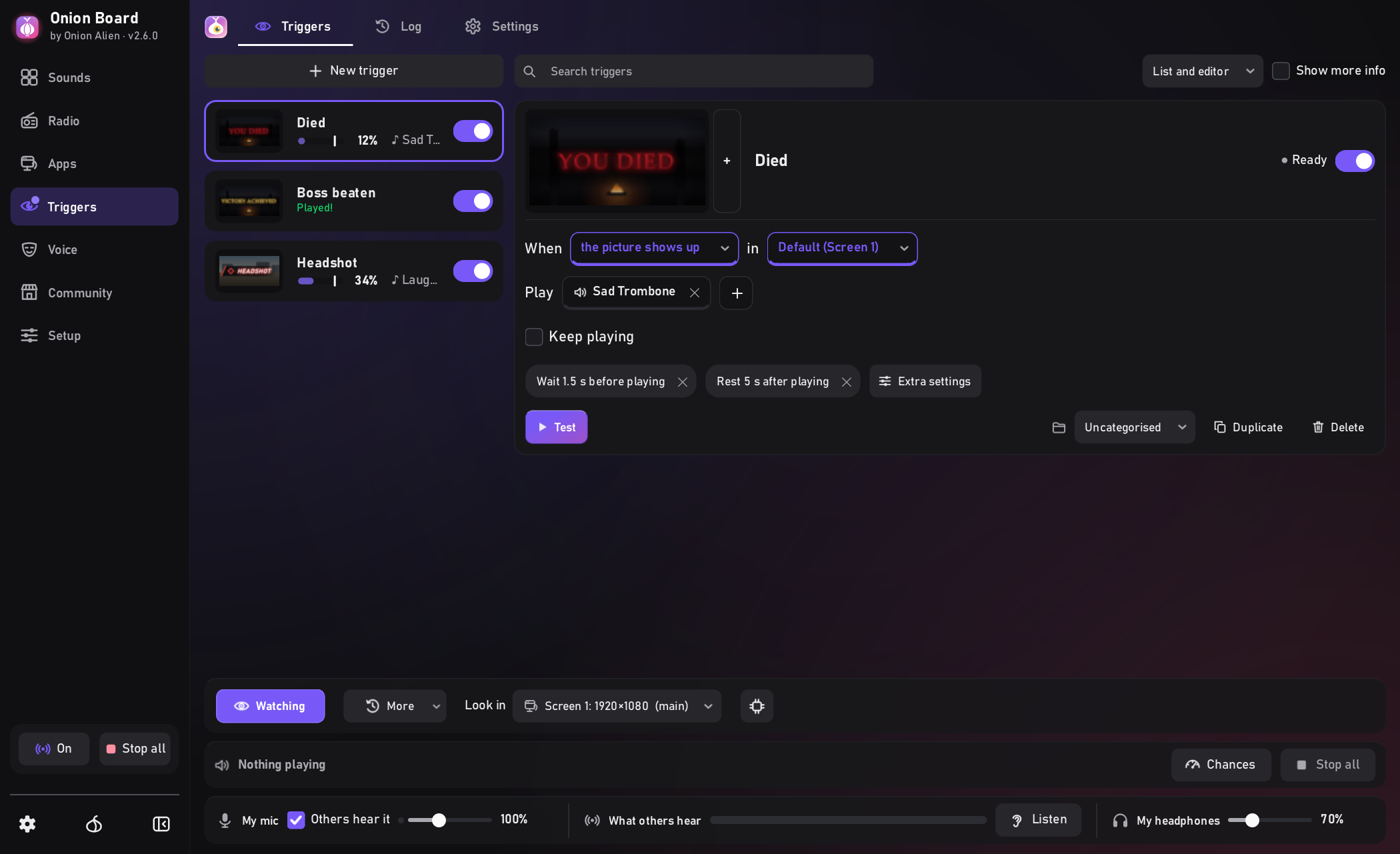
A rare spawn, a queue pop, a whisper, YOU DIED: Onion Watch plays a sound when it shows up, even while you're alt-tabbed. It only looks: it never touches the game.
Onion Watch at work
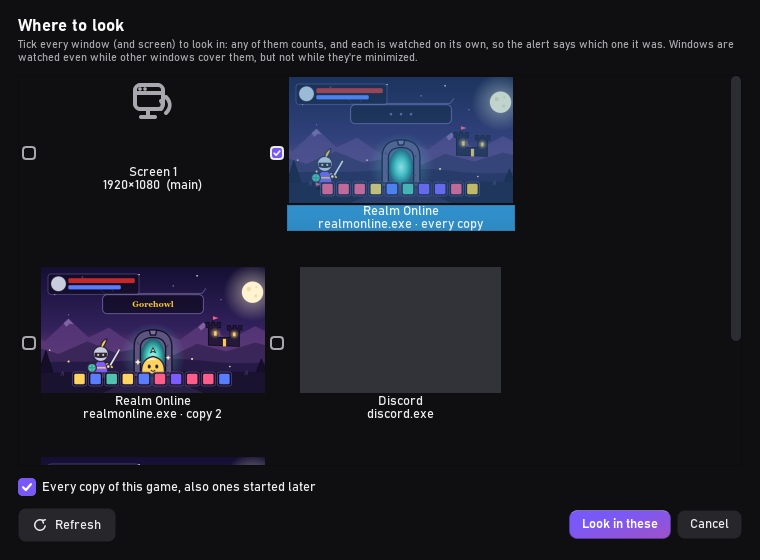
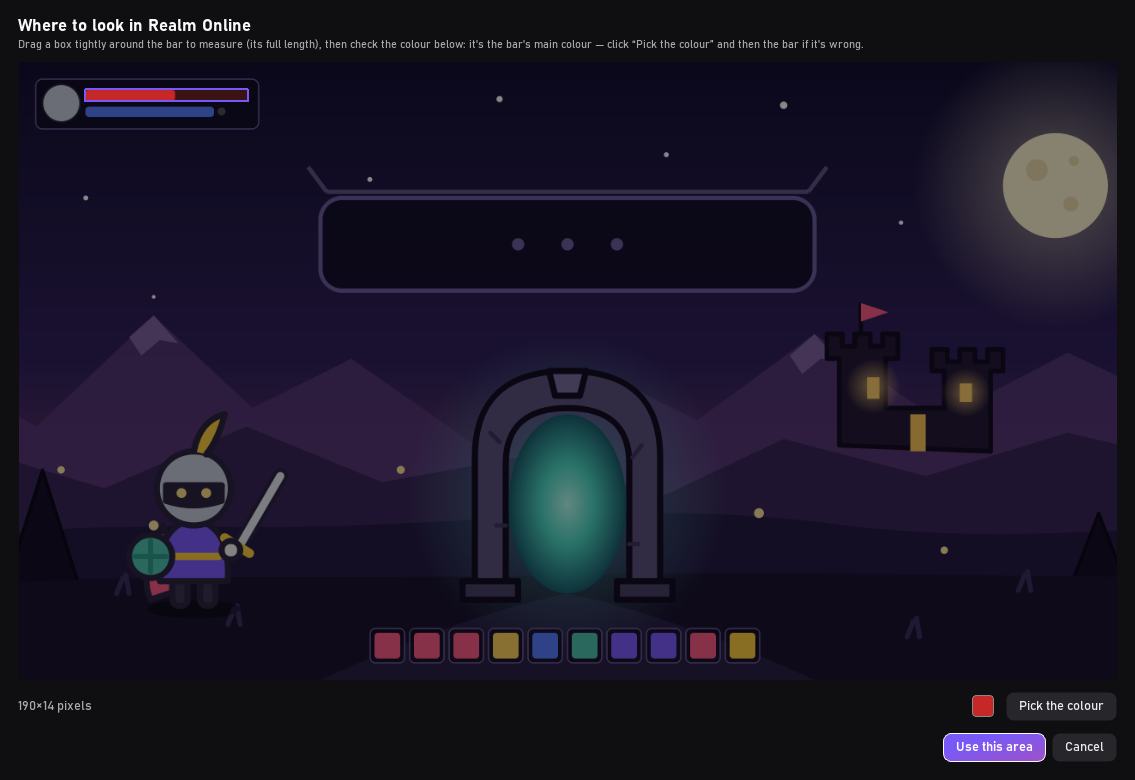
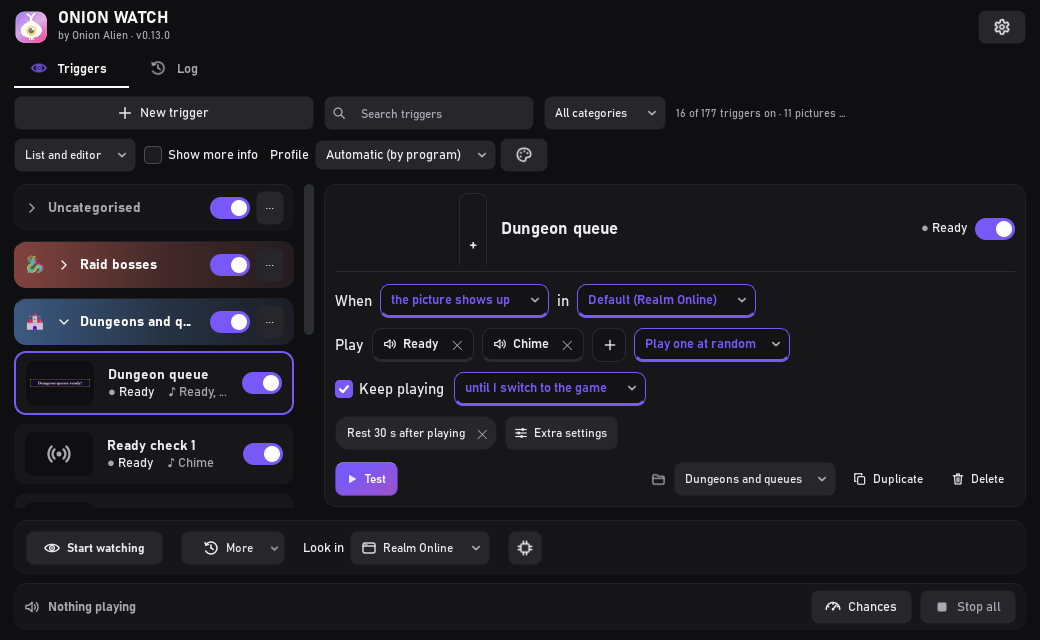
Pick your game's window, cut out the thing to watch for, choose a sound.

What's in the app
Watches behind other windows
Your browser or another game can cover it. Not while minimized.
Every account at once
One trigger watches several windows, or every copy of a game.
Shows up, goes away, stops moving
Or a chat line changes, or a health bar runs low.
Cut it from the game
Drag a box round a name plate, a banner, a chat line.
Rings until you're back
Or plays once each time. See what went off, with a picture.
It only looks
No keys, no clicks, no game memory: what you'd see, like OBS.
A closer look

Set it up in about a minute
Download it
DownloadOnionWatch-Installer.exeand run it.Show it what to watch
Pick your game's window at the bottom, then Cut picture… and drag a box around the thing to watch for.Go do something else
Choose a sound, click Start watching, and go do something else.
Is it safe?
Why does Windows warn me?
That's normal for a free app from a small developer: the installer isn't "code-signed", which costs hundreds a year. Click More info → Run anyway (or ⋯ → Keep in Edge / Chrome).
Does it touch my game?
No. It only looks at the game's window, like OBS does: no keys, no clicks, no game memory.
Is it safe with anti-cheat?
We think so, but we can't promise it. Onion Watch copies the picture of your game's window or screen the same way OBS and Discord screen share do. It never loads code into the game, reads its memory, installs a driver or presses a key.
We checked the published rules of Riot Vanguard, Easy Anti-Cheat, BattlEye and FACEIT: none of them bans screen capture. They go after drivers, code loaded into the game, and bots or macros that play for you. We haven't tried it in an anti-cheat game ourselves yet, and an anti-cheat can change its rules at any time.
To stay on the safe side, use it for alerts (a queue pops, a message arrives, a timer runs out), not for triggers that help you play. If an anti-cheat ever complains, please tell us. If a game's window comes out black (some anti-cheats do that), watch the screen the game is on instead.
What leaves my PC?
What it sees on your screen never leaves your PC. The app sends only anonymous daily usage stats (its version, which features are used, crash counts and a random ID; never your name, IP address or device info), and you can switch them off.
Can I read the code?
Yes, all of it. The full source is on GitHub.